


YAML files are the backbone of Kubernetes, controlling deployments, services, and configurations. But even a small error – like inconsistent spacing – can lead to failed deployments, crashes, or skyrocketing resource usage.
Key Takeaways:
- Common Errors: Misaligned indentation, wrong data types (e.g.,
truevs.True), and typos likereplicas: "3"instead ofreplicas: 3. - Validation Tools:
- Syntax: Use
yamllintfor formatting issues. - Schema: Validate Kubernetes API compliance with
kubevalorkubectl validate.
- Syntax: Use
- Quick Fixes:
- Run
kubectl apply --dry-run=clientto test configurations. - Check API versions with
kubectl api-versions. - Use anchors (&) and aliases (*) carefully to simplify YAML files without errors.
- Run
Pro Tip: Automate validation in your CI/CD pipeline to catch issues before deployment.
Fixing YAML issues doesn’t have to be daunting. With proper tools and best practices, you can ensure smooth Kubernetes deployments every time.
Kubernetes Troubleshooting | Fix YAML indentation
Common YAML Errors in Kubernetes
YAML mistakes can disrupt your Kubernetes deployments in no time. Knowing these frequent errors can help you spot and fix problems before they affect your production setup.
Spacing and Syntax Problems
Indentation matters – a lot. Even a single misplaced space can break your configuration. Follow these guidelines for proper spacing:
- Use spaces, not tabs, for indentation [2].
- Stick to consistent indentation (2 spaces are a common choice) [3].
- Align all keys vertically at the same level [2].
Here’s a quick comparison of incorrect and correct indentation:
# Incorrect - Mixed indentation apiVersion: v1 kind: Pod metadata: name: web-app labels: # Inconsistent spacing app: frontend # Correct - Consistent 2-space indentation apiVersion: v1 kind: Pod metadata: name: web-app labels: app: frontend Key and Data Type Mistakes
Errors with data types happen when Kubernetes gets a value it doesn’t expect. Some common issues include:
| Error Type | Example | Solution |
|---|---|---|
| Boolean | enabled: Yes | enabled: true |
| Number errors | replicas: "3" | replicas: 3 |
| Unquoted special chars | name: my:app | name: "my:app" |
Make sure numeric values are in the correct format. For example, resource limits must follow specific rules:
resources: limits: memory: "256Mi" # Correct format cpu: "500m" # Correct format Anchor and Alias Errors
YAML anchors (&) and aliases (*) can simplify your files but may also cause issues if misused. Watch out for:
- Undefined anchor references
- Misplaced anchors
- Conflicts with nested anchors
Here’s an example of proper anchor usage:
# Correct usage common: &defaults replicas: 3 image: nginx:latest deployment: <<: *defaults # Referenced anchor name: web-app Using consistent formatting and validation tools can help you avoid these errors and keep your deployments running smoothly. Up next, we’ll cover how to validate YAML files and catch these issues early.
YAML File Validation Methods
Before deploying, it’s important to validate YAML files. Here are some methods to ensure your files are error-free.
Kubernetes Built-in Validation
The kubectl-validate tool offers local validation that aligns with Kubernetes server-side checks. It uses the same validation logic as the Kubernetes API server, making it a reliable way to catch errors.
To get started with kubectl-validate:
- Install the tool:
go install sigs.k8s.io/kubectl-validate@latest - Validate a YAML file for Kubernetes 1.27:
kubectl validate ./deployment.yaml --version 1.27 - Use local CRD definitions for validation:
kubectl validate ./manifest.yaml --local-crds ./crds-folder
This tool supports Kubernetes versions from 1.23 to 1.27.
YAML Syntax Checking Tools
Validation can be broken down into three levels:
- Structural: Focuses on basic YAML syntax. Tools like yamllint check for issues like improper indentation, line length, or duplicate keys.
- Semantic: Ensures compliance with Kubernetes schemas. Tools such as kubeval verify API versions and resource types.
- Pragmatic: Looks at best practices, security, and performance issues. Tools like trivy are helpful for this.
Adding Validation to CI/CD
Incorporating validation into your CI/CD pipelines helps catch configuration issues early. Many teams use tools like kubeval to validate YAML files with every commit, preventing errors from reaching production.
Here’s an example of how to add validation to your CI pipeline:
# CI pipeline validation step validate: script: - kubectl validate ./k8s/ --version 1.27 - yamllint ./k8s/**/*.yaml - kubeval --strict ./k8s/**/*.yaml Tools like KubeDNA simplify this process by offering built-in validation support, helping you maintain high-quality deployments throughout your workflow. Next, we’ll dive into interpreting error messages and identifying the exact sections causing issues.
sbb-itb-5c61b71
Finding and Fixing YAML Errors
Reading Error Messages
Kubernetes error messages are your first clue to YAML issues. Pay attention to these key elements:
- Field name: The message often highlights the exact field causing the problem.
- Expected format: Many errors include hints about the correct format or acceptable values.
- Location: The error typically points to the specific part of the YAML file where the issue exists.
For instance, an error like this:
unknown field "hostath" in io.k8s.api.core.v1.PersistentVolumeSpec indicates a typo in the field name hostPath. The message clearly identifies both the incorrect field and where it appears in the YAML structure.
After identifying the error, it’s important to confirm that your configuration matches Kubernetes’ API requirements.
Checking API Version Compatibility
Ensure your YAML file is compatible with the Kubernetes API by following these steps:
- Verify API Resources and Versions Use these commands to check the correct API group and available versions:
# Find the correct API group kubectl api-resources | grep <resource-type> # Check available versions for the API group kubectl api-versions | grep -E "^<api-group>/" - Update Your YAML File Adjust the
apiVersionfield in your YAML file to match the correct version. For example:apiVersion: apps/v1 kind: Deployment
"When creating Kubernetes resource manifests, one of the first things that we need to specify for the resource is the
apiVersion." – Thomas Stringer, Software Engineer [5]
Once you’ve updated the API version, review the YAML file’s structure and content for any remaining issues.
Finding Problem Areas in YAML
To identify and resolve errors, take a systematic approach:
- Validate Syntax Run a dry-run command to check for syntax issues without applying the configuration:
kubectl apply --dry-run=client -f your-file.yaml - Check Structure Look for common structural issues, such as:
- Incorrect indentation levels
- Missing required fields
- Fields placed in the wrong hierarchy
- Data types that don’t match the expected format (e.g., strings vs. numbers)
- Review Field Values Examine field values for errors like typos, missing entries, incorrect boolean formats (
truevs.True), or invalid characters.
For example, when working with cronjobs, fields like activeDeadlineSeconds, backoffLimit, and completions need to be placed under the jobTemplate spec. Placing them incorrectly will result in validation errors that can be quickly spotted and corrected [4].
Writing Better YAML Files
After fixing errors, follow these tips to create clear and effective YAML configurations.
Clean YAML Formatting
A well-organized YAML file can help prevent deployment issues in Kubernetes. Stick to a consistent 2-space indentation for better readability and clear hierarchy.
Here’s an example of clean YAML formatting for a deployment:
apiVersion: apps/v1 kind: Deployment metadata: name: web-app # Application identifier labels: app: frontend # Used for service selection spec: replicas: 3 # Number of desired pods selector: matchLabels: app: frontend template: metadata: labels: app: frontend spec: containers: - name: nginx image: nginx:1.19 Adding comments can make your configurations easier to understand. For instance, a study by Collabnix in February 2023 showed that including descriptive comments reduced configuration errors by 15% during testing.
Next, ensure sensitive data is handled securely.
Managing Secrets and Variables
Use Kubernetes Secrets to securely manage sensitive data:
# Create a secret for database credentials apiVersion: v1 kind: Secret metadata: name: db-credentials type: Opaque data: username: <base64-encoded-username> password: <base64-encoded-password> Then, reference the secret in your deployment:
spec: containers: - name: app env: - name: DB_USER valueFrom: secretKeyRef: name: db-credentials key: username "One common pitfall in Kubernetes manifests and Helm charts is the presence of hard-coded passwords, which can expose your applications to serious security risks." [6]
Keep in mind that Kubernetes Secrets are stored unencrypted in etcd by default. To secure them further:
- Enable encryption at rest
- Use Role-Based Access Control (RBAC)
- Explore external secret management tools
- Regularly rotate your secrets
Using YAML Anchors Correctly
YAML anchors can simplify your configurations by reusing common settings across multiple services. This reduces duplication and ensures consistency.
Here’s an example of anchors and aliases in action:
# Define common logging configuration logging: &defaultLogging level: INFO format: json retention: 7d services: auth-service: <<: *defaultLogging # Inherit default logging config path: /var/log/auth # Service-specific setting payment-service: <<: *defaultLogging # Reuse the same config path: /var/log/payments Be aware that any changes to the anchored block will apply to all references, ensuring consistency while reducing maintenance work.
Following these practices can help you avoid errors and streamline your Kubernetes deployments.
YAML Validation Tools
Validation tools help identify configuration errors before deployment. Below are some popular tools for validating Kubernetes YAML files.
Schema Validation with kubeval

kubeval checks Kubernetes YAML files against official API schema specifications.
# Install kubeval brew install kubeval # Validate a single file kubeval deployment.yaml # Validate multiple files kubeval -d k8s-manifests/ "A linter is designed to catch errors in data before that data gets processed. This saves you (or your automated workflow) from errors during a critical stage of operation." – Seth Kenlon, Linux geek [8]
Important: kubeval is no longer actively maintained [7]. Consider using newer tools for production environments.
Syntax Checking with yamllint
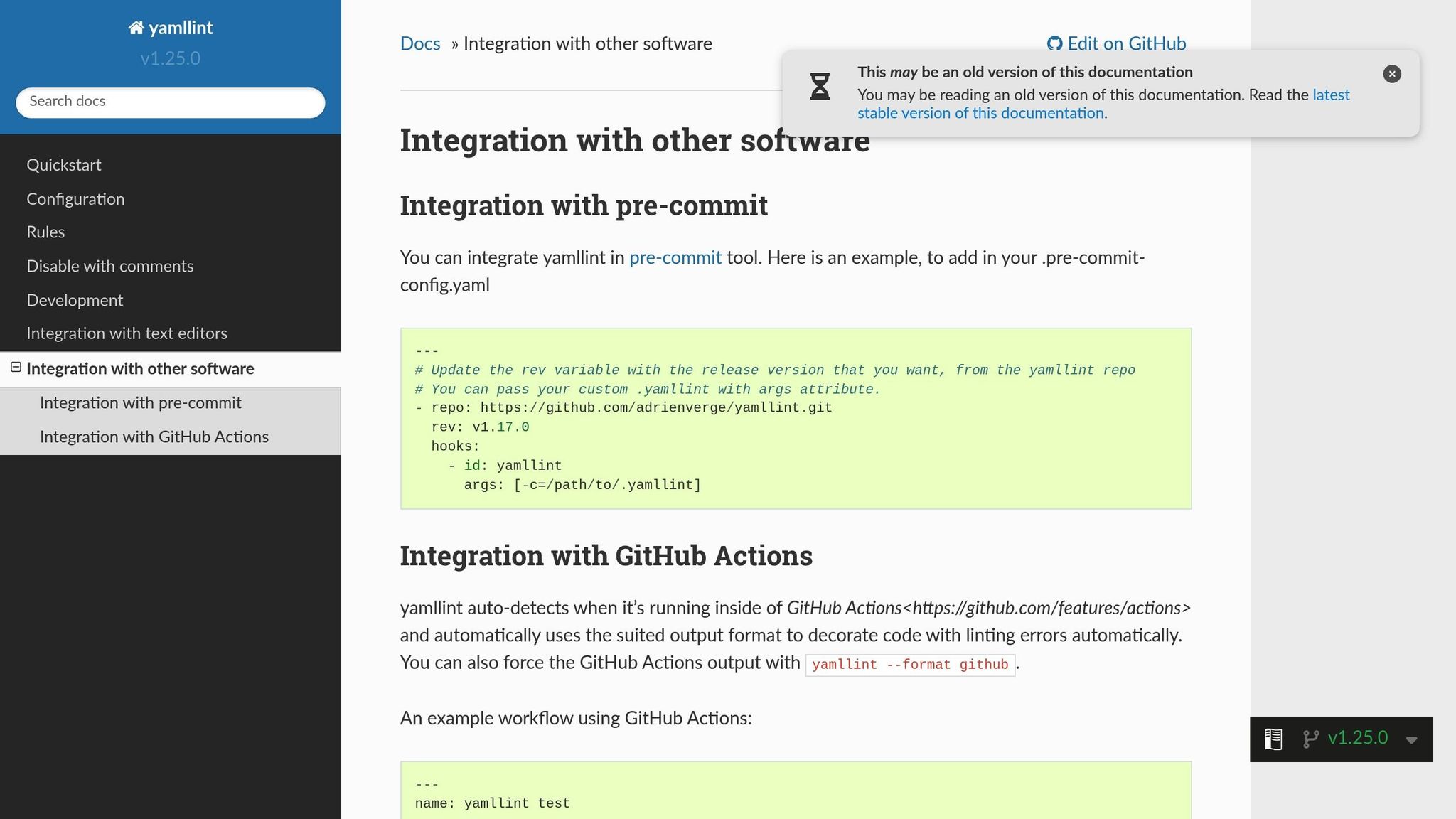
yamllint focuses on detecting syntax errors and formatting issues in YAML files. Install it using pip:
python3 -m pip install --user yamllint You can customize validation rules by creating a .yamllint configuration file:
rules: line-length: max: 80 level: warning indentation: spaces: 2 indent-sequences: true document-start: present: true yamllint ensures proper indentation, key-value formatting, quoting of special characters, document start markers, and line length adherence.
Summary
Incidents like an API server outage at Zalando and image pull errors at Datadog [1] highlight the importance of validating YAML configurations properly.
To avoid such problems, focus on three key validation areas:
- Structural Validation:
- Use tools like
yamllintto check syntax and formatting. - Ensure consistent indentation and correct key-value formatting.
- Integrate validation tools directly into your development setup.
- Use tools like
- Schema Validation:
- Validate configurations against Kubernetes API specifications.
- Confirm resource definitions align with the correct API versions.
- Test deployments with commands like
kubectl apply --dry-run.
- Pragmatic Validation:
- Monitor resource requests and limits to prevent memory-related failures.
- Apply security policies for sensitive configurations.
- Follow best practices, such as avoiding wildcard ingress hosts.
For example, insufficient resource specifications for Fluentd-Sumologic pods once caused out-of-memory errors [1]. These types of issues can be avoided with a structured validation strategy.
KubeDNA’s validation tools offer thorough checks across all these areas, helping teams maintain consistency and reduce deployment errors. When integrated into CI/CD pipelines, automated validation ensures your YAML files are always deployment-ready.
Validation isn’t a one-time task. As your Kubernetes environment changes, regularly revisit and refine your validation strategies to tackle new challenges and maintain reliability. By adopting these practices, you strengthen your Kubernetes deployments.